
356 Howe Ave, Shelton · Walk-ins welcome
PC & Desktop Repair in Shelton, CT
Won't start. Keeps crashing. Let's find the cause.
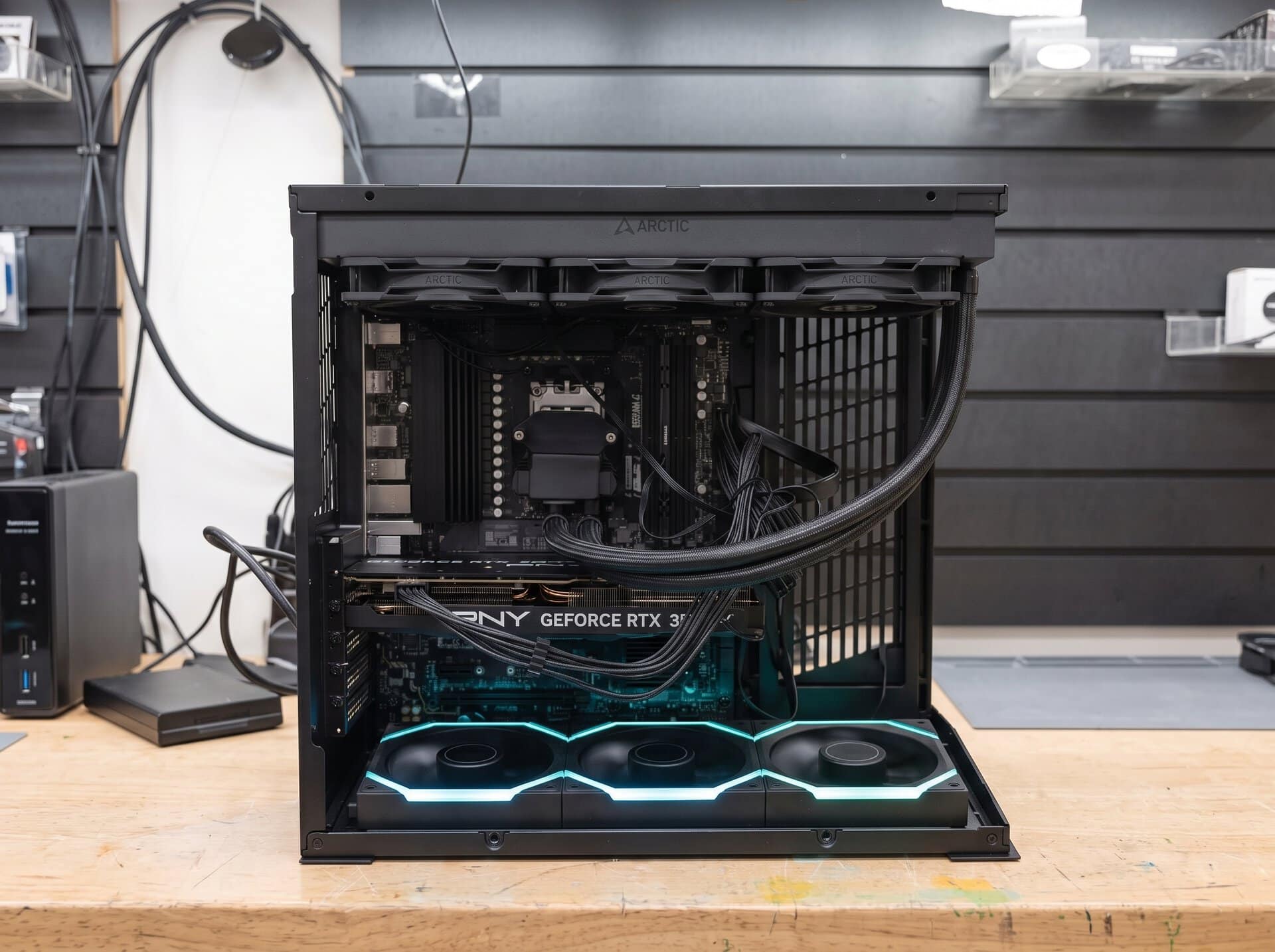
Bring in your Windows desktop, gaming PC or custom build. A technician tests it to find what's actually failing, explains your options in plain language and sends you a price. We quote the repair and get your approval before proceeding.
Diagnosis is free when you go ahead with the repair. If you decide not to, the bench fee is $50, or $100 for custom-built desktops.
Walk in, no appointment
Mon–Fri 10–7 · Sat 10–4 · Sun closed
A quote before repairs
Nothing starts until you say yes
Most repairs in 24–48 hours
An estimate. Parts and diagnosis can extend it.
Standard and custom desktops
Including gaming PCs
What's your PC doing?
Pick the closest match. Each of these has more than one possible cause, which is why we test before we recommend a part.
01
Won't power on
You press the button and nothing happens. No fans, no lights. No power doesn't tell us anything about your files yet; we check the drive once we know what failed.
Could be · power supply, power button or cable, motherboard
02
Powers on, but no display
Fans spin and lights come on, but the monitor stays black or says “no signal.”
Could be · graphics card, memory, cable or monitor, motherboard
03
Freezing or blue screens
It locks up, restarts on its own or shows a blue error screen, sometimes at random and sometimes during one task.
Could be · memory, drivers, storage, heat, Windows itself
04
Overheating or shutting off
The fans get loud, the case runs hot or the PC switches itself off when you ask more of it.
Could be · dust, a failed fan, old heat paste on the processor, the power supply
05
Slow to do anything
It takes minutes to start, lags opening programs or stalls on simple tasks.
Could be · an aging drive, too little memory, startup programs, unwanted software
06
Storage or startup errors
A “no boot device” message, a repair loop, or a drive that clicks or stops showing up. If a drive is clicking, avoid restarting it over and over.
Could be · a failing drive, damaged startup files, a loose cable, settings
Pop-ups, a browser that changed on its own, or a warning telling you to call a number? That points to a different problem. See virus and malware removal.
This page covers desktop towers and Windows PCs. For a portable computer, see laptop repair. For an iMac or MacBook, see Mac and MacBook repair. Or browse all computer repair.
Find the fault before replacing parts.
Swapping parts until something works gets expensive. We'd rather find what actually failed.
What we test depends on the symptom and on what we find along the way, so no two jobs follow the same list. These are the areas a desktop diagnosis may cover.
Once we know the cause, we send you a price for the fix. If it isn't worth fixing, we'll say so.
Checked as the job requires
Power
Whether the power supply and its connections deliver steady power to each part.
Cooling
Fans, airflow, dust build-up and the heat paste between the processor and its cooler.
Memory
Whether the memory (RAM) is seated properly and holds up under testing.
Storage
The health of the drive Windows starts from, and whether it's safe to keep using.
Drivers and software
Windows updates, device drivers and programs that can cause crashes or slowdowns.
Stability
Whether the PC stays steady once it's running a real workload, not only when it's sitting idle.
Gaming and custom-built PCs
Get your gaming PC running reliably.
A gaming PC is a desktop with a stronger graphics card, more cooling and often parts chosen by its owner. That extra power brings its own problems.
We can't promise a specific frame rate or speed gain. We'll tell you what a fix or upgrade is likely to change, and what it won't.
Under load
Crashes once a game starts
Fine on the desktop, then it freezes, crashes or restarts when a game or heavy program runs. Power delivery, heat, memory speed settings and graphics drivers are common suspects.
Heat
Loud, hot or throttling
Powerful parts make a lot of heat. We look at the fans, airflow and cooler contact, and whether the case can move enough air for what's inside it.
Fit
Will a new part work?
Planning a new graphics card, more memory or a bigger drive? We can check whether it fits your case, power supply and motherboard before you buy it.
Custom-built desktops take longer to work through, so the bench fee if you decline the repair is $100.
Repair, upgrade or replace?
After diagnosis we'll tell you which one makes sense for your PC and how you use it. There's no fixed age cutoff, and not every PC can be upgraded.
01 · Fix a fault
Repair it
Makes sense when
One part has failed, or one software problem is causing trouble, in an otherwise healthy PC.
What happens
We fix or replace what failed, at the price you approved.
Keep in mind
A repair fixes the fault we found. We’ll explain whether an upgrade would also improve performance.
02 · Add what fits
Upgrade it
Makes sense when
The PC works but feels slow or is running out of space, and it can take compatible parts.
What happens
We check what memory and storage your system supports, then recommend options that fit it.
Keep in mind
Some PCs can't take more memory or a faster drive. We'll check before recommending anything.
03 · Start fresh
Replace it
Makes sense when
The platform no longer fits what you need, or the repair would cost close to a suitable replacement.
What happens
We put the repair quote next to what a replacement would cost, so you can compare the two plainly.
Keep in mind
You're under no obligation to buy a replacement from us.
If a new desktop makes more sense, we also build custom gaming PCs.
How a PC repair works
Step 1
Tell us, or just bring it in
Start a repair online and choose Desktop PC or Custom or gaming PC, and a technician reads your description before you arrive. Or walk in during store hours.
Step 2
We diagnose it and send a price
A technician tests the PC to find the actual cause, then sends you a price for the fix. Nothing gets worked on until you approve it.
Step 3
We repair it, test it, you pick it up
We make the repair you approved, test that the problem is fixed and let you know when it's ready to collect at the shop.
What diagnosis costs
Free when you go ahead with the repair. If you decide not to, there's a bench fee for the technician's time: $50 for standard desktops, $100 for custom-built desktops.
How long it takes
Repairs are first come, first served, and most are finished in 24 to 48 hours. Parts, shipping and complicated diagnosis can take longer. If yours will, we'll tell you.
Repaired here, on Howe Avenue
Work happens at our bench in Shelton. We don't do mail-in repairs. Same people every time, and you'll know your technician's name. If a technician decides a software problem can be handled remotely, we'll book a session with you instead.
Questions about PC repair
Still have a question? Call (203) 433-2042. We answer our own phone.
Do you work on custom-built and gaming PCs?
Yes. Choose Custom or gaming PC when you start a repair. Custom builds usually take longer to diagnose because the parts vary, so if you decide not to go ahead after diagnosis, the bench fee is $100 instead of $50. Tell us anything you've already changed or tried.
What should I bring?
Bring the PC itself. Whether we also need your monitor, keyboard, power cable or anything else depends on the problem, so call the shop before you come in and we'll tell you what to bring.
Will my files be safe?
We take every reasonable precaution, but no repair shop can guarantee your data won't be lost. A PC that won't turn on can still have a failing drive. Back up anything important before you bring it in, if you can. If we know a repair puts your data at risk, we'll tell you before we start and offer to back it up first.
Is it worth upgrading an older PC?
Sometimes. More memory or a solid-state drive can help an older PC that's otherwise healthy, if its motherboard supports them. Some older systems can't take those parts, or can't run the version of Windows you need. We'll check what your PC supports and tell you whether an upgrade or a replacement makes more sense.
How do you work out the cost?
The price depends on what failed: the parts the repair needs and the work involved. Because one symptom can have several causes, the price comes after diagnosis. You'll have it before any work begins. Diagnosis is free if you go ahead; if you don't, the bench fee is $50, or $100 for custom-built desktops.
How long will my repair take?
Repairs are handled first come, first served, and most are finished in 24 to 48 hours. That's an estimate, not a guarantee. Parts availability, shipping and complicated diagnosis can all stretch it. If yours is going to run long, we'll tell you.
Bring your PC to Howe Avenue
Walk in during store hours and we'll check you in at the counter. If you started a repair online first, your description is already in our system. We're a short trip for many people in Derby, Ansonia, Seymour and Trumbull.
Evolve Computer
356 Howe Ave
Shelton, CT 06484
(203) 433-2042
Mon–Fri 10am – 7pm
Saturday 10am – 4pm
Sunday Closed
Tell us what your PC is doing.
Starting online gives us your problem description ahead of your visit. Or call the shop and talk it through.
356 Howe Ave, Shelton, CT 06484 · Mon–Fri 10am–7pm · Sat 10am–4pm · Sun closed