
356 Howe Ave, Shelton · Walk-ins welcome
Mac & MacBook Repair in Shelton, CT
A clear answer for the Mac you rely on.
Bring in your MacBook, iMac or Mac mini and a technician finds out what is actually wrong with it. You get a price and a straight recommendation before any repair starts — including when the honest answer is that it is not worth fixing.
Diagnosis is free when you have the repair done with us. If you decide not to go ahead, the bench fee is $50.

Every Mac is opened, tested and quoted at our own bench on Howe Avenue.
Walk in, no appointment
Mon–Fri 10–7 · Sat 10–4 · Sunday closed
A price before any work
Nothing gets worked on until you approve it
90-day repair warranty
On our parts and our labor, for the issue we repaired
Home / Computer Repair / Mac & MacBook Repair
Macs we work on
Model and year decide what is possible on any Mac — which parts are still available, what can be replaced on its own, and what is built into the logic board. Tell us the model and we will tell you where yours stands.
MacBook Air
Thin-and-light Airs, Intel and Apple silicon. Screens, batteries, charging faults and startup trouble are the usual reasons they come in.
MacBook Pro
13-, 14-, 15- and 16-inch Pros. Display damage, swollen batteries, heat under load, and ports that have stopped charging.
iMac & Mac mini
Desktop Macs that will not start, run slowly, run hot, or have a display fault. Bring the Mac itself — we will ask if we need cables or a keyboard.
We do not claim to work on every Mac ever made. Some older models and some newer assemblies have no parts available any more. If yours is one of them, we will tell you at diagnosis rather than after.
What we repair
These are the jobs that come across the bench most often. A symptom is not a diagnosis — several of these have more than one possible cause, which is what testing is for.
Display and screen damage
Cracked glass, dark patches, flickering, or lines across the picture. On most Macs the screen is a whole assembly, so what a replacement involves depends on the model and on what parts are available.
Battery and charging
A battery that drains quickly or has started to swell, or a Mac that will not charge at all. Charging problems are not always the battery — the port, the adapter or the board can be the cause.
Keyboard and trackpad
Keys that repeat, stick or do nothing, and trackpads that will not click or track properly. On many models these are tied into a larger assembly, so we check what yours needs before quoting.
Will not start up, or macOS trouble
No sign of life, a stop sign, a Mac stuck on the Apple logo, or one that boots and then freezes. We separate hardware faults from macOS problems first. Seeing pop-ups or a warning telling you to call a number? That belongs on our virus and malware removal page.
Heat and performance
Fans running constantly, a case too hot to rest on your lap, or a Mac that has slowed to a crawl. Causes range from dust and a failing fan to storage and software.
Liquid damage assessment
Spilled something on it? Bring it in powered off and unplugged, and leave it that way. We open it up and tell you what the liquid reached. An assessment is not a promise of a repair, and we cannot promise your files survive.
Why the same fault costs different amounts on different Macs
Two Macs can look almost identical and still need completely different work. Three things decide it.
This is why we do not publish a flat price list for Mac repairs. Tell us the model and the symptom, and you get a real number after diagnosis — before anyone starts work.
1
The chip generation
Intel Macs and Apple silicon Macs are built differently. That changes which parts can be swapped on their own and which are part of the board.
2
What the damage actually reached
A cracked screen on its own is one job. A drop that also bent the lid or pinched a cable is another one. Damage you can see can hide damage you cannot.
3
Whether the parts exist
Some assemblies are straightforward to source. Others are back-ordered or no longer made at all. Availability affects both the price and how long you wait.
Not sure a Mac page is the right one? Laptop Repair covers portable hardware generally, and the Computer Repair hub lists everything we work on, including iPhone repair.
Repair it — or put that money toward another Mac?
There is no rule that says a Mac is finished at a certain age. Once we know what is wrong, these are the four things we weigh with you.
The fault
One problem, or several?
One clear fault on an otherwise healthy Mac is usually worth fixing. A screen, a battery and a charging fault at once is a different conversation.
The work
What you need it to do
If it still runs the apps you use, a repair buys you real time. If it was already struggling with your work before it broke, a repair will not change that.
The software
How long macOS keeps up
Apple stops issuing new macOS versions for older Macs. That does not make a Mac useless, but it is worth knowing where yours sits before you spend on it.
The number
Repair cost against replacing
Not the price of a new flagship — what you would realistically buy instead. We will say plainly when we think the repair is the worse deal.
If replacing turns out to be the better call, we keep refurbished Macs at the shop. Whatever cover comes with a machine you buy from us is its own thing — separate from the 90-day warranty that applies to a repair.
What happens after you drop it off
Four steps, and you approve the price before the third one starts.
Step 1
Bring it in, or start online
Walk in during store hours, or start a repair online first so a technician can read your description before you arrive. No appointment needed either way.
Step 2
We diagnose it
A technician tests the Mac to find the actual cause rather than guessing at a part. Diagnosis is free when you have the repair done with us; if you decide not to go ahead, the bench fee is $50.
Step 3
You get a price, and you decide
We send you the price and what we would do, along with our recommendation. Nothing gets worked on until you say yes.
Step 4
We repair it, test it, and call you
We make the repair you approved and check that the problem is actually fixed before you come back for it. Repairs go in the order they arrive, unless you add Rush Service ($100).
How long it takes
Most repairs are finished in 24 to 48 hours. Parts availability, shipping and a complicated diagnosis can stretch that, and we tell you when it does.
What the warranty covers
A 90-day warranty on our parts and our labor, for the issue we repaired. It does not cover software work, virus removal, or later damage from something else.
Your files
Back up anything important before you bring your Mac in, if you can. No repair shop can promise that files survive a hardware fault.
Where the work happens
Mac hardware is repaired at our own bench in Shelton. We do not take mail-in repairs. Some software problems can be handled in a remote session instead.
Visit the shop on Howe Avenue
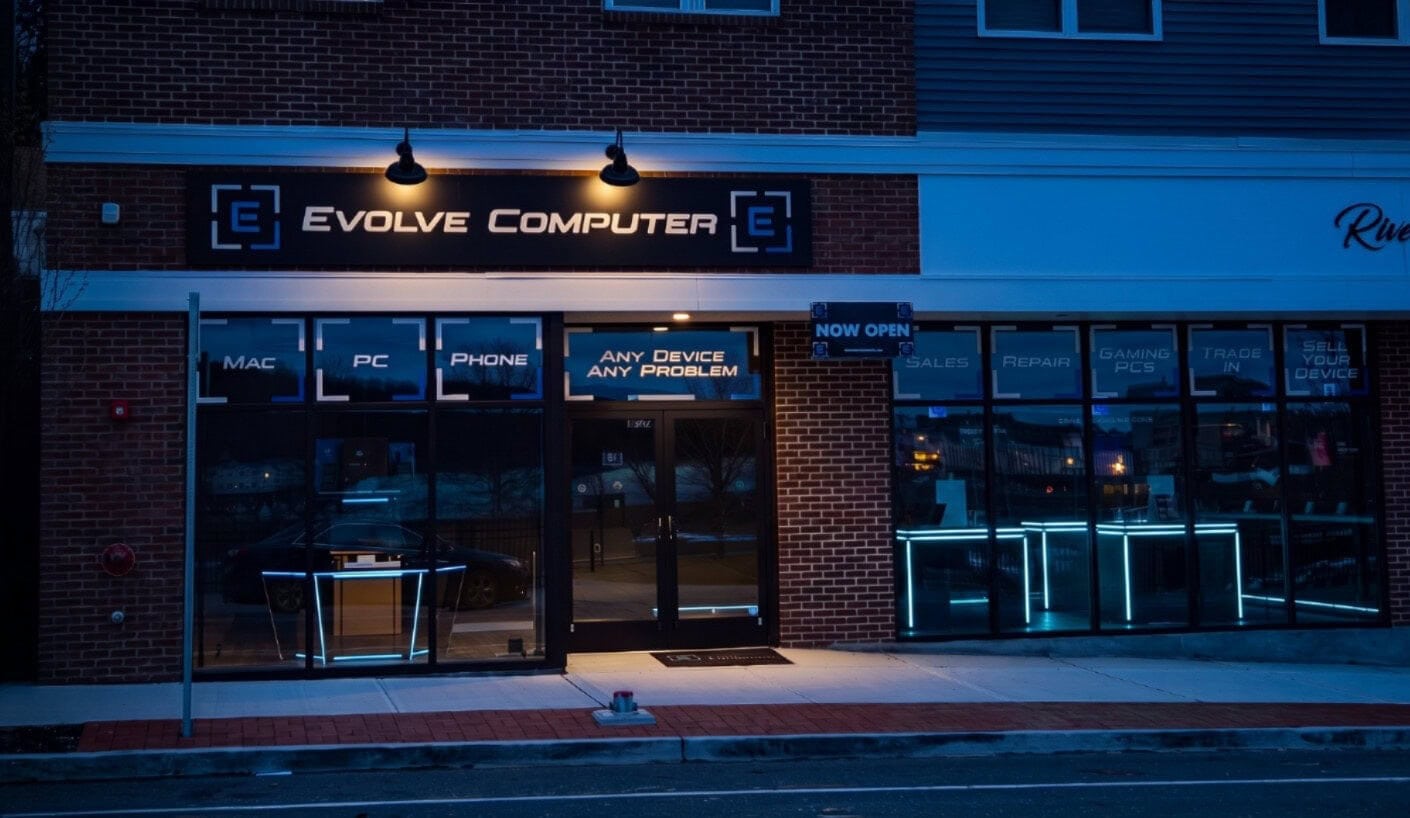
We are a real storefront in downtown Shelton, not a counter inside somewhere else. Walk in during store hours and we will check you in at the counter.
Address
356 Howe Ave
Shelton, CT 06484
Hours
Mon–Fri 10am–7pm
Sat 10am–4pm · Sun closed
Phone
Before you bring your Mac in
The questions we are asked at the counter most often. The fee, timing and warranty terms above stay visible on the page — they are not hidden in here.
Which Macs do you work on?
MacBook Air, MacBook Pro, iMac and Mac mini. What we can do on a particular one depends on its model and year, mostly because of parts. Your model is under the Apple menu, in About This Mac — call with it and we will tell you before you make the trip.
How much is a screen or a battery?
It depends on the model and on what parts are available, so we will not quote a Mac screen or battery sight-unseen. You get a firm price after diagnosis, and nothing starts until you approve it.
Will I lose my files?
Back up anything important before you bring the Mac in, if you can. We handle your data carefully, but no repair shop can promise that files survive a hardware fault — and we would rather say that up front than afterwards.
Does it matter whether my Mac is Intel or Apple silicon?
Yes. The two are built differently, which changes what can be replaced on its own and what is part of the logic board. It also affects which version of macOS your Mac can run. About This Mac tells you which one you have.
My Mac got wet. Is it worth bringing in?
Bring it in powered off and unplugged, and do not try to dry it out with heat. We open it up and tell you what the liquid reached and what condition it is in. An assessment is not a promise of a repair, or of recovering what is on it.
What does the repair warranty cover?
Ninety days on our parts and our labor, covering the issue we repaired. It does not cover software work, virus removal, or damage that happens afterwards from something else. Anything you buy from the shop carries its own separate cover.
Do I need an appointment?
No. Walk in during store hours and we will check you in at the counter. Starting a repair online first just means a technician has read your description before you get here.
Tell us what your Mac is doing.
Start a repair online and a technician reads your description before you arrive — or just bring it to the counter on Howe Avenue.
356 Howe Ave, Shelton, CT 06484 · Mon–Fri 10–7 · Sat 10–4 · Sun closed